IDENTITY SERVERS
You can manage (create, enable, disable) the identity servers you use to connect to the environments.
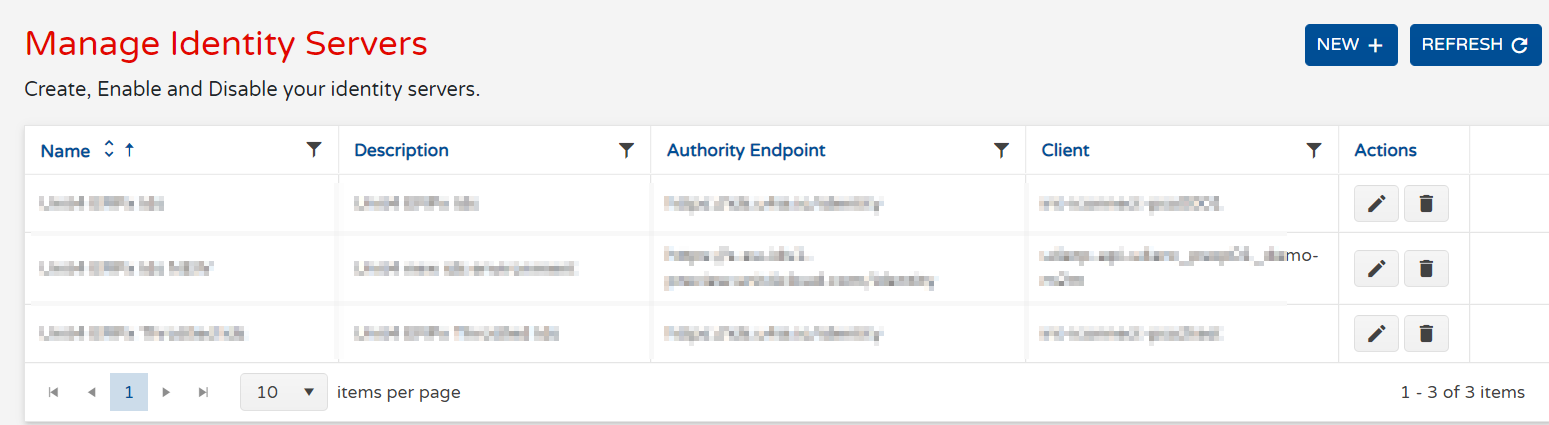
FIELDS
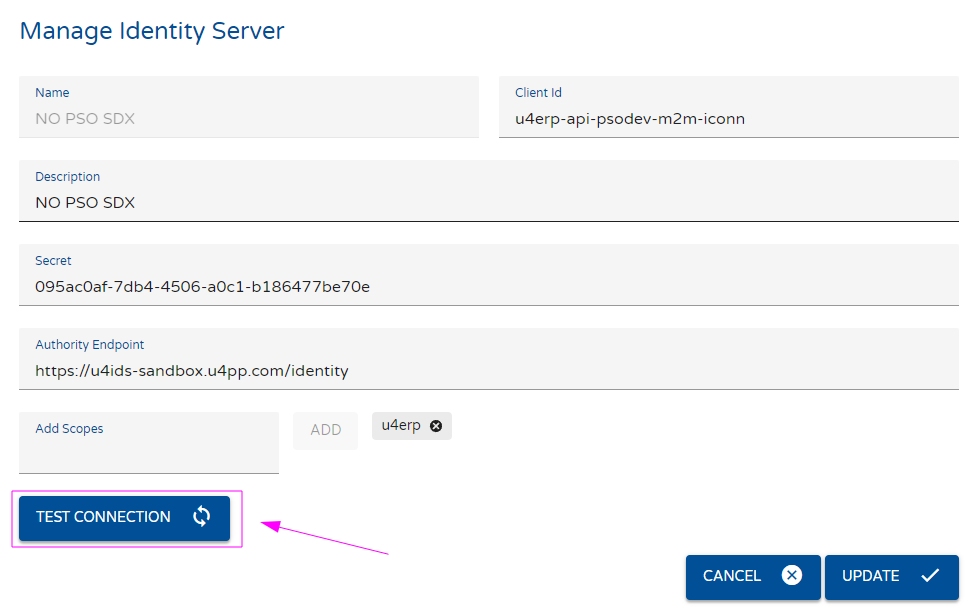
- Name: The name of this identity server
- Description: The description of this identity server
- Client ID: The client ID used to connect to this identity server
- Secret: The secret used to connect to this identity server
- Authority Endpoint: The URL of this identity server.
- Scopes: The scopes of this identity server. Usually it will be UNIT4 ERP
TESTING THE CONNECTION
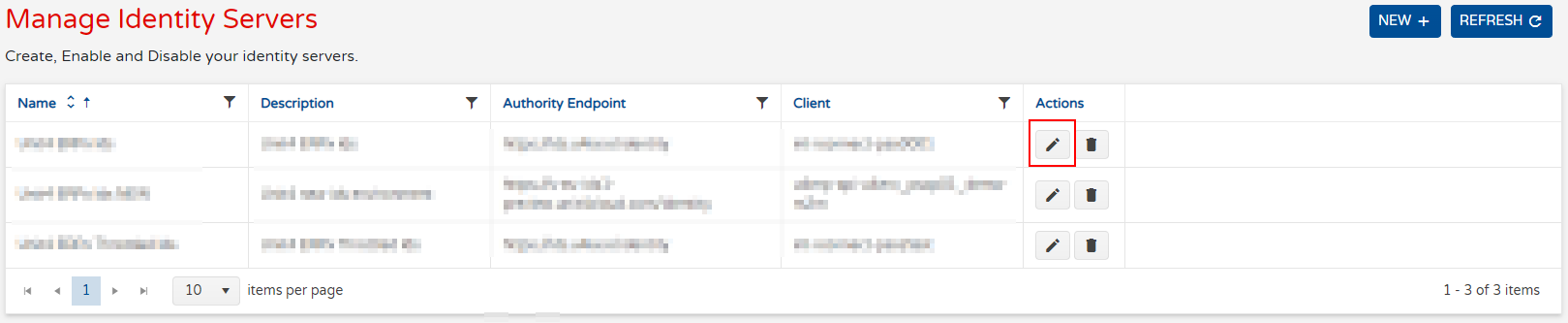
In order to test an Identity Server, first you need to enter the IDS you want to test by clicking on the pencil icon in the Actions column as shown in the following image:
You will enter to the Manage Identity Server window of the specific IDS in which by clicking the Test Connection button you will verify that the environment is working properly
The system will perform the test and if everything is correct, in the lower right side of the window you will see the following pop up image